Windows
The downloadable version of the program is a self-installing executable, which is able to install the program in any directory.
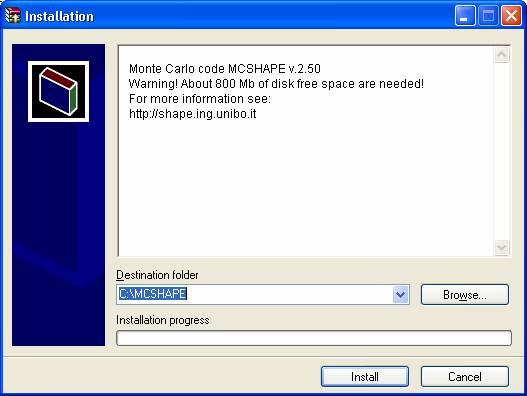 |
Figure 1: The example shows an installation which copies all files (and directories) to drive C: and place the program in the subdirectory \MCSHAPE
 |

Linux
1) Installation from CD
- mount CDROM
- move into CDROM directory
- As root, type:
make install
- unmount the CDROM
- As user, type:
make local-install
(this will create in your HOME folder the directory mcshape)
2) Installation from tar.gz package
- Extract the package, type:
tar -xzvf mcshape260.tar.gz
(this will create the directory mcshape_install)
- Move into the new directory
- As root, type:
make install
- At this point the directory mcshape_install is no longer necessary and could be deleted
- Return back as user and type:
make local-install
(this will create in your HOME folder the directory mcshape)
- The program has been installed!


©Copyright 2006
ALMA MATER STUDIORUM - Università di Bologna
Via Zamboni, 33 - I-40126 Bologna